How do I appraise a single domain from any web page?
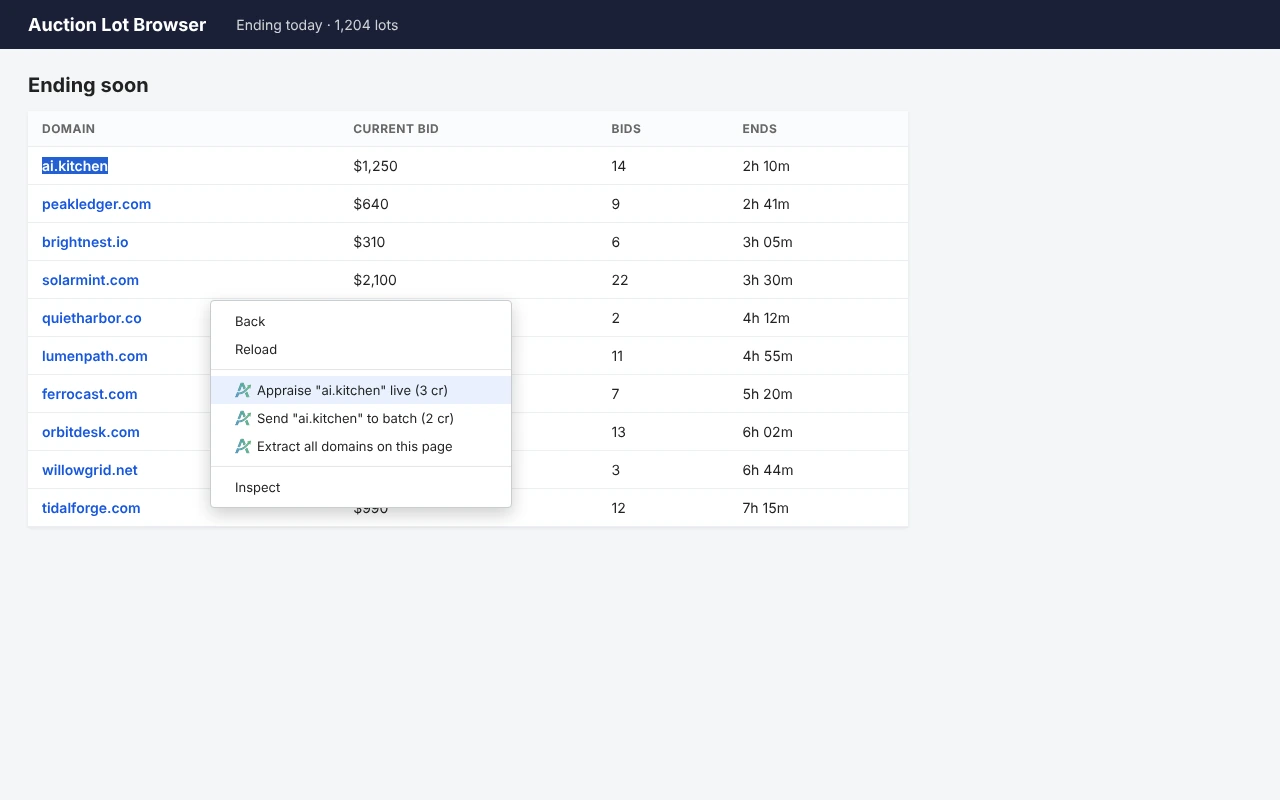
- Highlight a domain name on any page.
- Right-click and choose Appraise "…" live (3 cr) for a real-time result, or Send "…" to batch (2 cr) to queue it.
- The side panel opens on the right and shows the result.
You can also type a domain into the toolbar popup and press Enter.
Not sure whether to pick live or batch? See Live or batch: which should I pick and what does each cost? Domains that already have a current appraisal cost less, and the panel shows the cost before anything is charged.
To appraise many names at once, see How do I appraise every domain on a page?
5 views
0 helpful