How do I appraise every domain on a page?
- Right-click anywhere on the page and choose Extract all domains on this page.
- The panel lists every domain that is actually visible on the page, in page order. Decoy domains hidden in the page code by some sites are ignored, so the list matches what you see.
- Use the filter box, All / None, or tick Only what's on screen now to limit the list to the part of the page you are looking at.
- Click Batch (N) or Live (N). N is the number of ticked domains.
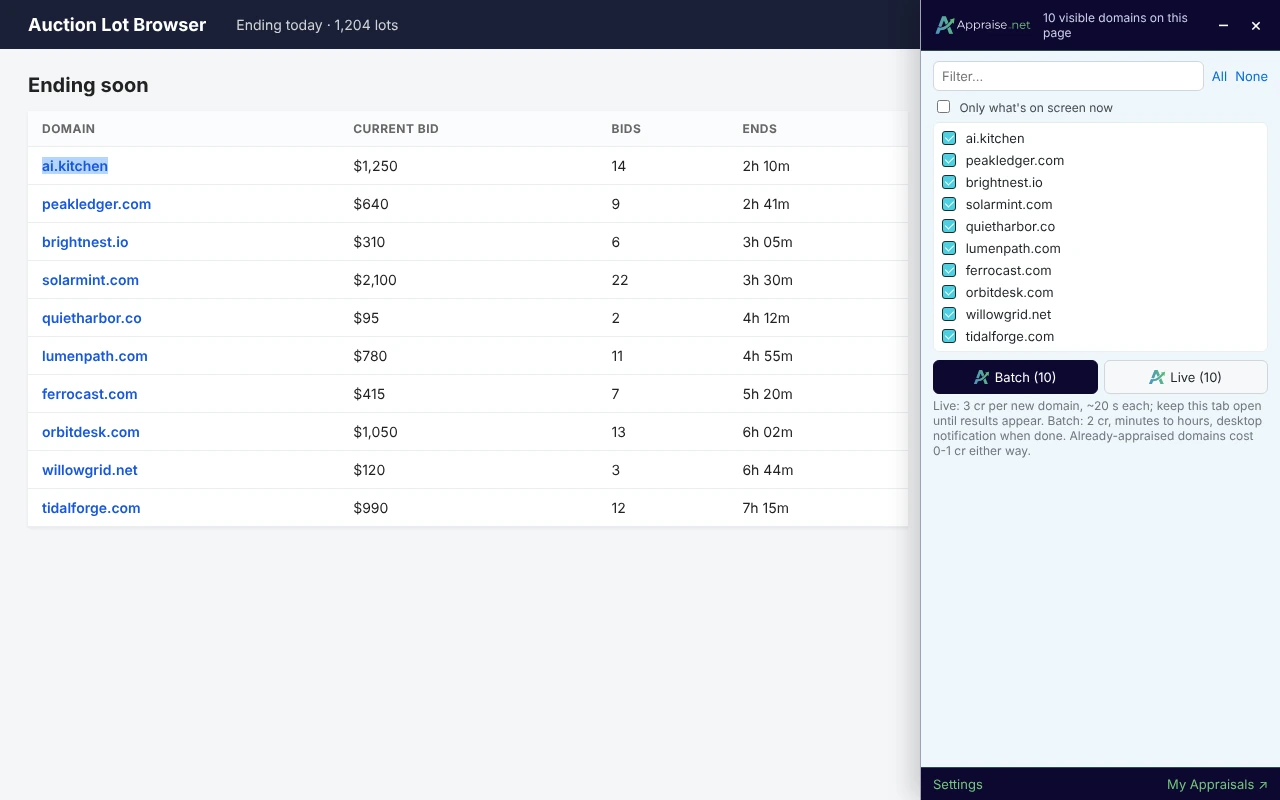
Before you click, the panel shows what the request will cost. Names that already have a current appraisal are cheaper or free; see Live or batch: which should I pick and what does each cost?
For what happens next, see What happens after I submit live or batch appraisals? If a domain you can see is missing from the list, see Troubleshooting the extension.
5 views
0 helpful