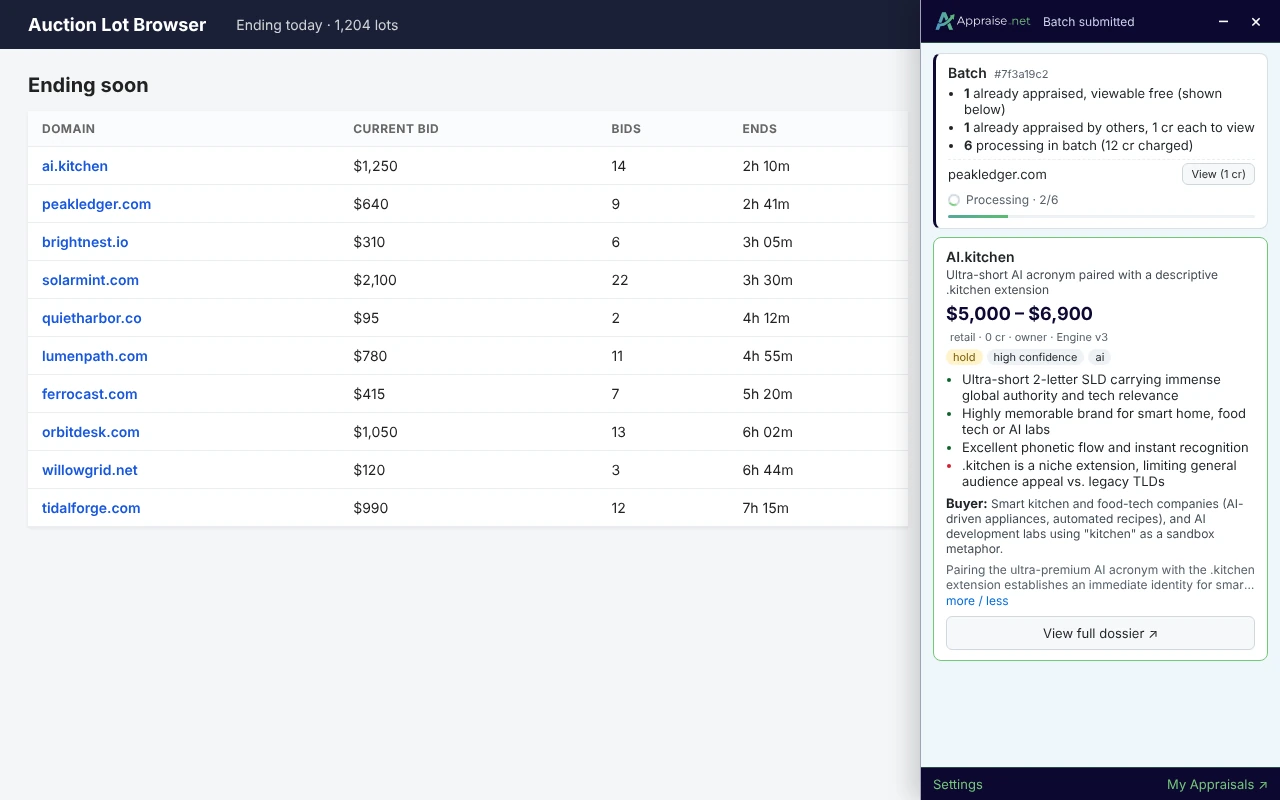
What happens after I submit live or batch appraisals?
Live results
Each domain gets a card. Within a second you see the word split, the cached Scout score and the cost; the full appraisal follows in about 20 seconds.
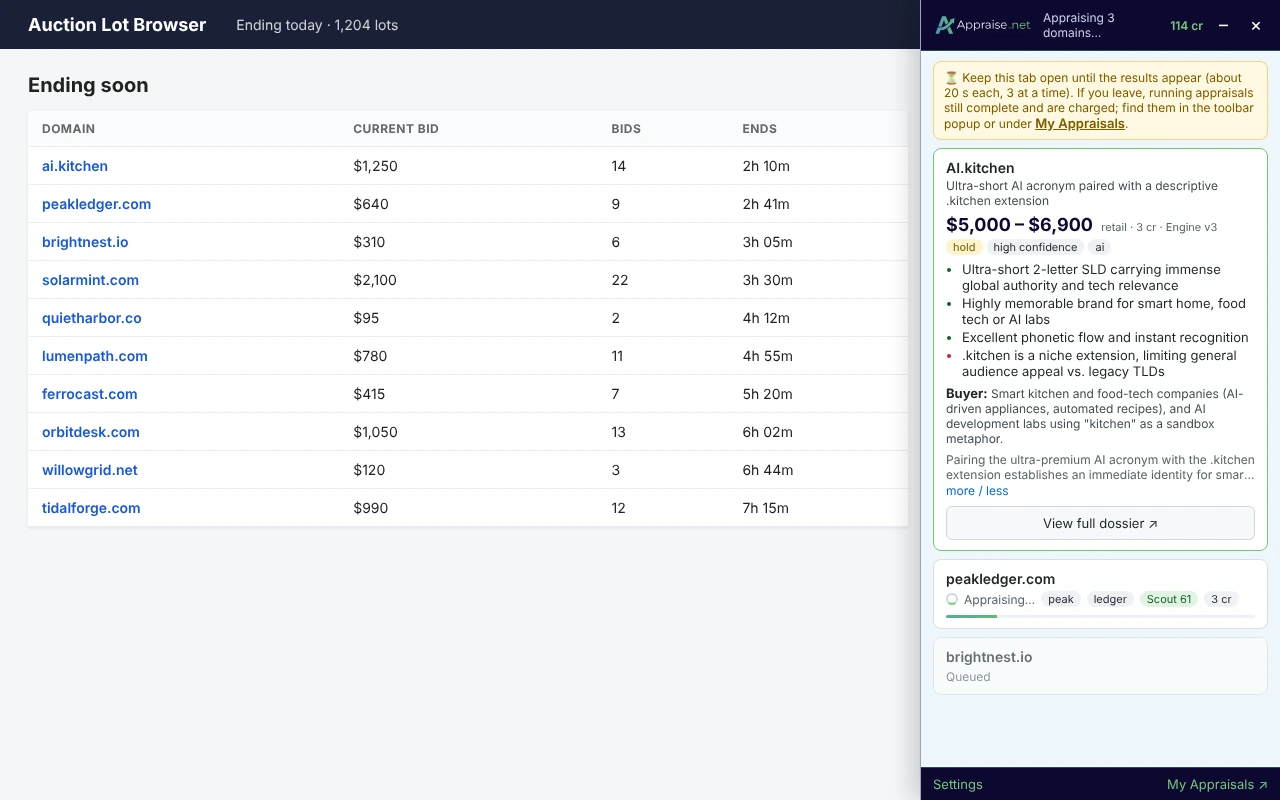
Keep the tab open until the results appear. If you navigate away, appraisals already running still complete and are charged; find them in the toolbar popup or under My Appraisals.
Batch results
After you submit, the panel shows a summary: how many domains are already appraised and viewable free (shown right away), how many are viewable for 1 credit (with a View button each), and how many were sent for processing with the credits charged.
The batch card updates every 30 seconds (queued → processing 2/6 → done) and the result cards appear in place when it finishes. You also get a desktop notification (click it to open the results) and an email titled "Your Batch Appraisal is Complete!" with a link to the batch page. Finished batches are listed in the toolbar popup with a Show button, and on the site under Batches; the Show button and the notification both open that batch's own page.