What settings does the extension have?
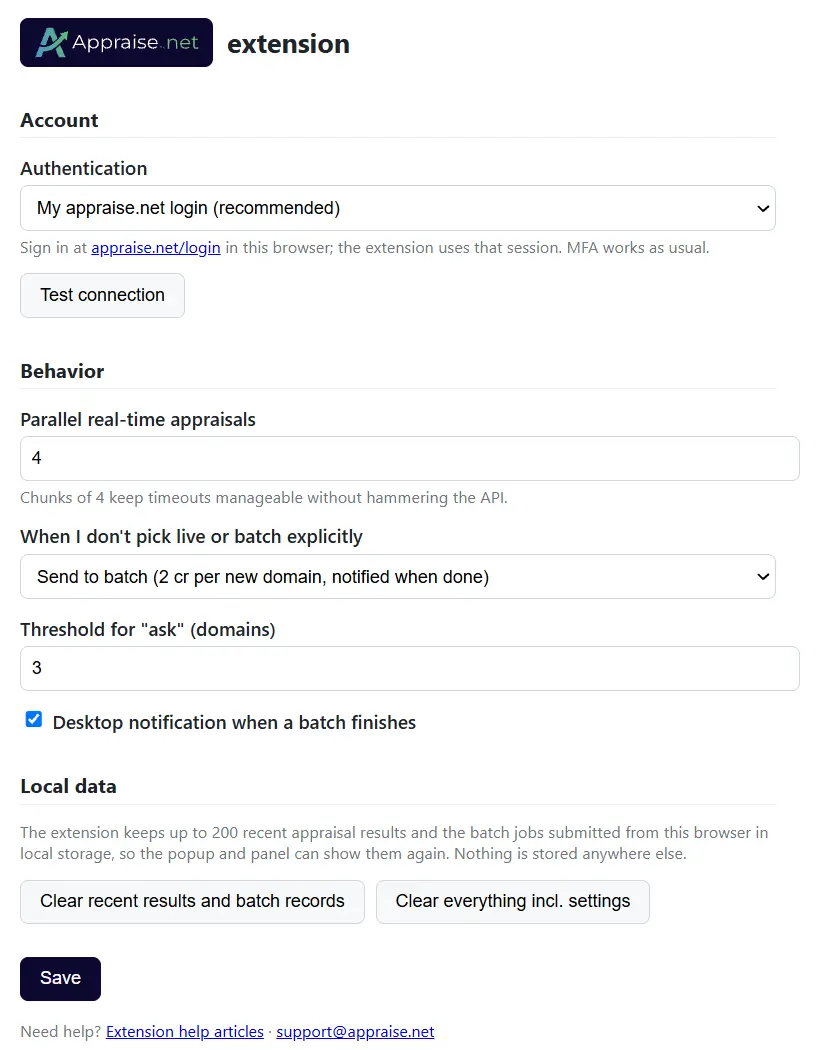
Open the settings from the toolbar icon → gear icon (⚙), or from the Settings link at the bottom of the panel.
| Setting | What it does |
|---|---|
| Authentication | Your appraise.net login (default) or an API key |
| Test connection | Confirms the sign-in and shows plan and credits |
| Parallel real-time appraisals | How many live appraisals run at once (default 4) |
| When I don't pick live or batch explicitly | Batch (default), Live, or Ask above a threshold |
| Desktop notification when a batch finishes | On by default |
| Local data | Two buttons: Clear recent results and batch records removes the results and batch jobs the extension keeps in your browser; Clear everything incl. settings also resets the settings above to their defaults. Both stop batch status checks and clear the toolbar badge. Nothing on your Appraise.net account is affected. |
For the API-key option, see How do I install the extension and sign in? For what the live and batch choices mean, see Live or batch: which should I pick and what does each cost?
5 views
0 helpful