How do I install the extension and sign in?
Install
- Open the extension's page on the Chrome Web Store. Edge users install from the same Chrome Web Store link.
- Click Add to Chrome (or Get in Edge) and confirm.
- Pin the extension: click the puzzle-piece icon in the toolbar and the pin next to Appraise.net.
The extension runs in Chrome, Edge, Brave, Opera, Vivaldi and Arc (version 116 or newer). Firefox and Safari are not supported yet.
Sign in
The extension uses your existing Appraise.net login. Sign in at appraise.net/login in the same browser (two-factor and passkeys work as usual), and you are done; there is nothing to configure.
To check, click the toolbar icon: the popup shows your email, plan and credit balance.
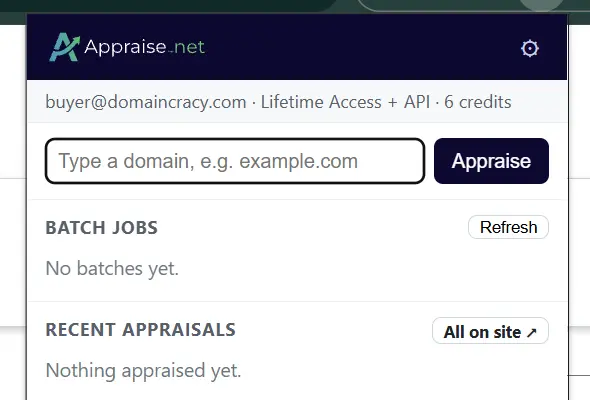
If you prefer not to rely on the browser session, API-plan subscribers can paste an API key instead: toolbar icon → gear icon (⚙) → Authentication → API key, then paste key:secret from the API section of your profile.
Related
5 views
0 helpful